Friday, August 12, 2011

Peter's Backup 3.07

Recovery


Peters Backup is a program for backing up your important data files on to diskette, zip drive, fixed disk or CD/RW. It uses an extremely efficient compression algorithm. It keeps track of all versions of your files in full and incremental backups.

Requires Java version 6. Runs on Windows 2000 and above, Linux and other systems that support java.


Program Informations
 Developer:sourceforge.net.for
more visit free software


Size,Price and Added Date
0.6MB.Freeware.$0.00 to buy
12-08-2011


Download Links
Peter's Backup 3.07.
Search here for more apps

YouTube HD Transfer 1.2.1

Recovery


YouTube HD Transfer is a small freeware utility that allows you to download videos from YouTube in various formats and qualities to your local hard drive, like low/high quality FLV, High Definition MP4 (720p) and even Full High Definition MP4 (1080p).

Simply paste the YouTube url from your browser into YouTube HD Transfer, select the video quality you want to download and click the "Download" button, that´s it.

You can load suggested videos by clicking on their picture.

YouTube HD Transfer also includes the option to extract the MP3 / AAC audio from the videos you´ve downloaded from YouTube and a preview option to watch the suggested videos before downloading them.

Requires: Microsoft .NET Framework 2.0.

What´s New in version 1.2.1:

YouTube made changes to the website and the download links could not be extracted.


Program Informations
 Developer: members.home.nl.for
more visit free software


Size,Price and Added Date
4MB.Freeware.$0.00 to buy
12-08-2011


Download Links
YouTube HD Transfer 1.2.1.
Search here for more apps

Revo Uninstaller Free Portable 1.93

Recovery


Removing unused programs from your hard drive bring several benefits. As well as clearing unnecessary entries from the Start menu to help make it easier to navigate, software removal also frees up hard drive space and can help to improve system performance. The uninstaller provided with Windows is functional, but it can also be very slow and is somewhat lacking in features.

Revo Uninstaller, on the other hand, is lightning quick, providing a number of ways to track down and list programs you no longer need and a simple means of removing them. In standard mode, available programs are listed ready for removal, but a search facility is also available for those with lots of applications installed. In Hunter mode, program shortcuts can be simply dragged and dropped onto a target area to remove them, or by dragging the target onto an unwanted program's icons or titlebar.

Revo Uninstaller also includes a number of cleanup tools which can be used to take control of the programs that start automatically with Windows, as well as removing unnecessary files. A file shredder is available to irreversibly delete files, and the program provides easy access to handy Windows' utilities. With tools to remove internet traces and to tidy up after Microsoft Office, this is your compete PC cleaning kit.

Note that this is the portable version of the free Revo Uninstaller.
Verdict:

Fairly powerful free uninstall tool will remove just about every reference from an installation, including Registry entries


Program Informations
 Developer: VS Revo Group.for
more visit free software


Size,Price and Added Date
3MB.Freeware.$0.00 to buy
12-08-2011


Download Links
Revo Uninstaller Free Portable 1.93.
Search here for more apps

Atomix Virtual Dj 7.0.5 Build 370

Recovery


Atomix VirtualDJ is the MP3 mixing software that targets every DJ from bedroom DJs to professional superstars such as Carl Cox, and is used everyday by millions of DJs, and in many big clubs. It features a breakthrough BeatLock engine that will keep your songs in tune and let you work your mixes incredibly faster than any other DJ. The automatic seamless loop engine and the new synchronized sampler will let you perform astounding remixes on the fly. VirtualDJ is compatible with timecoded vinyls that let you scratch your MP3s directly on a real turntable, and with many other DJ equipment.
VirtualDJ will also let you mix and scratch music videos right from your turntables. You can use several interfaces to suit both beginners and professionals, record your mixes and burn them on CD, rip DVD, rip vinyl, create your own Internet radio, automatically mix playlists, use VST effects, display karaoke, and play DRMed file like Yahoo!

The automatic seamless loop engine and the brand new synchronised sampler will let you perform astounding remixes live, with no preparation at all.
The visual representation and the cues allow you to clearly see the song's structure, and never be surprised by a break anymore.
The vinyl controls will let you scratch like on a real turntable, except that with the beatlock engine your scratches will never end out of the beat.

Add to that an infinite number of cue points you can save for each songs, a bunch of wonderful effects automatically beat-synchronised.
Add also several interfaces to suit everybody from the beginner to the professional DJ, the possibility to record your mixes to burn them on CDs, to broadcast on the Internet and have your own radio station, to save your CDs directly in MP3, to use a headphone to preview the songs or an external mixtable to perform in a club.
Lastly, enter the new era of DJs by mixing video clips (DVD, DivX, MPEG...) which you can send on a giant screen.
Virtual DJ brings you all that, in the most easy-to-use way, and at the most affordable price.

VirtualDJ gathers in one only software all the tools you need:
• MP3 database, don't carry around heavy record cases anymore
• Fully automated mix, when you're busy entertaining the audience
• Direct Internet database, satisfy all your clients' requests
• Lights control, through DMX interface
• Control devices, DAC3, DJConsole, XP10, TCV Records, DVinyl, MIDI, etc
• Music Video, Karaoke

Plus, participate to the active forums' life, and exchange advices, find new jobs, etc...
VirtualDJ is committed to make your DJ live much easier.

Features:
• Breakthrough BeatLock engine: your tracks will always stay on time. Create great mixes faster than ever!
• Automatic seamless loop: perform astounding remixes live with no preparation at all!
• Synchronised sample machine: sample-and-play on the fly, and free your creativity!
• Clear song structure visualization: Never get surprised by a break anymore!
• Video mix: Mix and scratch your music videos in addition to the music!
• Vinyl control: Spin your MP3s from a real turntable (and still use loops and beatmatch)!
• DVD Ripping
• Vinyl Ripping
• Infinite cue points saved per song, lots of great effects which are beat aware, recording and broadcasting options, and much more...


Program Informations
 Developer: virtualdj.com.for
more visit free software


Size,Price and Added Date
35MB.Freeware.$0.00 to buy
12-08-2011


Download Links
Atomix Virtual Dj 7.0.5 Build 370.
Search here for more apps

Wise Disk Cleaner Free 6.11

Recovery


Wondering where all your hard drive space has gone? There's a good chance you can get at least some of it back. And Wise Disk Cleaner Free can help by scouring your system, looking for junk files that can be deleted.

Unlike most of the competition, the program doesn't simply wipe the contents of predefined folders (recycle bin, temporary files, browser cache and so on). Instead it searches your entire hard drive, looking for temporary or leftover file types.

The good news about this approach is that Wise Disk Cleaner Free is very thorough, and can uncover junk that other tools might miss. But the bad news is that it's slower, and there are risks involved, because identifying what can safely be deleted is very difficult. The program assumes that anything with a .CHK extension is a scandisk remnant that can wiped, for instance, but a .CHK file can also be a database checkpoint that really shouldn't be deleted.

Don't let this put you off Wise Disk Cleaner Free altogether, though. In just one click you can tell it not to detect .CHK files, and you'll be safe from accidental deletions. But even then, we'd recommend you check every file the program lists before you delete it, just to be sure you're not erasing anything important.
Verdict:

A thorough way to detect junk files, but beware - this isn't for beginners. The program may also recommend that you delete legitimate files, and you'll need the expertise to tell the difference


Program Informations
 Developer: ZhiQing Soft.for
more visit free software


Size,Price and Added Date
4MB.Freeware.$0.00 to buy
12-08-2011


Download Links
Wise Disk Cleaner Free 6.11.
Search here for more apps

Kingsoft PC Doctor 2.7

Recovery


Kingsoft PC Doctor offers a suite of tools to optimise, clean and secure your PC.

Click the Optimizer button, for instance, and you'll find modules to help you take control of your startup programs and Windows services. Unlike many similar tools, PC Doctor doesn't simply list what's installed on your PC: it also offers recommendations on which programs and services can be safely deleted.

The hard drive cleaning options are similarly thorough. PC Doctor doesn't just delete your temporary folders and web browser cache; it also highlights a great deal of Windows junk (more than CCleaner, on our test PC). The Trace Cleaner module wipes away your activity histories in Windows and many applications; the OS Thinner lists Windows files which can safely be removed (sample music, pictures, videos and more); and the Large Files tab lists the 100 largest files on your system drive, for a quick look at where your drive space has gone.

And there are plenty of useful extras. The Traffic Monitor displays a graphical view of your open internet connections, for instance, while a tiny activity monitor shows your current internet upload and download speeds, CPU and RAM-hogging applications, and more.

It's not all good news, though, particularly on the security side. The program aims to detect Trojans and dangerous plugins, for instance, but just displayed a long list of false positives on our test PC. Users can tell Kingsoft about this, and so we'd expect its accuracy to improve over time, but at the moment the anti-malware section of the program is too unreliable to be of any use.
Verdict:

Kingsoft PC Doctor is a capable hard drive cleaner, and does a good job of helping you optimise your startup programs and services. The security features are best avoided right now, though, and overall the program isn't yet suitable for inexperienced users: you need to know what you're doing, to be able to review all its recommendations and spot any which might not be correct.


Program Informations
 Developer: Kingsoft Security.for
more visit free software


Size,Price and Added Date
17MB.Freeware.$0.00 to buy
12-08-2011


Download Links
Kingsoft PC Doctor 2.7.
Search here for more apps

Google Chrome 14.0.835.35 Beta

Recovery


Google Chrome is a browser that combines a minimal design with sophisticated technology to make the web faster, safer, and easier.

One box for everything
Type in the address bar and get suggestions for both search and web pages.

Thumbnails of your top sites
Access your favorite pages instantly with lightning speed from any new tab.

Shortcuts for your apps
Get desktop shortcuts to launch your favorite web applications.
View the Release Notes for Google Chrome 14.0.835.35 Beta.


Program Informations
 Developer: google.for
more visit free software


Size,Price and Added Date
22MB.Freeware.$0.00 to buy
12-08-2011


Download Links
Google Chrome 14.0.835.35 Beta.
Search here for more apps

CDBurnerXP 4.3.8.2631

Recovery


A powerful burning solution with many features.

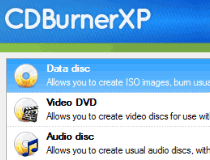
CDBurnerXP is an application to burn CDs and DVDs, including Blu-Ray and HD-DVDs. CDBurnerXP includes the feature to burn and create ISOs, as well as a multilanguage interface.

Here are some key features of "CDBurnerXP":

Create Data-CDs/DVDs:
· burn any Data on CD-R/CD-RW/DVD+R/DVD-R/DVD+RW/DVD-RW/DVD-RAM/BD/HD-DVD, including double layer mediums
· burn mp3-CDs to store many audio files on one single disc
· create bootable discs
· verify written Data automatically after burning process
· use either the internal browser to add your files or the intuitive Drop-Box to drag and drop files directly from any Windows Explorer window
· save your compilations for creation of backups
· burn on-the-fly and with buffer-underrun protections
· import previous (ISO 9660) sessions and edit existing file structure on CD/DVD
· quick- and full-erase disc
· copy data discs (possible copy-protection is not bypassed)
· retrieve recorder and disc information

· Create Audio-CDs
· create Audio-CDs from mp3, wav, ogg, flac and wma files
· add single or multiple tracks from existing audio-CDs directly to your new compilation without ripping tracks before (add cda-files)
· play audio-files with integrated audio player
· gapless audio-CDs supported (disc-at-once-mode)
· import M3U or WPL playlists
· support for ReplayGain
· import CUE sheets
· create mixed-mode discs

ISO features:
· burn ISO files to CD
· create your own ISO files
· convert bin- and nrg-files to ISO
· save CDs/DVDs as ISO file to disc

Other features:
· simple cover printing feature for data- and audio-discs
· LightScribe integration
· Command line version
· supports most IDE, USB, Firewire and SCSI drives
· integrated option to enable access to drive for restricted users
· multi-language interface

What's New in This Release:

· Option to enable or disable CD-Text
· Added capability of overwriting existing files on disc when using the -import flag and adding new files (command line version)
· Added "print track list" feature for audio burning
· Adjusted date/time comparison for file replacement
· Reserve a little more free space when splitting DVDs
· Display "required" and "available" size more accurately if both are almost the same, so that the difference is actually apparet
· MSI package and CDBurnerXP executables are now digitally signed as well
· Fixed a missing translation
· Fixed: Registry option "DefaultLanguage" does not work if only a single language is installed
· Fixed error "index is outside the bounds of the array" when adding a cue sheet with a non zero first track index
· Fixed: Renamed files do not appear renamed when printing a cover
· Command line version now uses the correct (local) modification dates for files


Program Informations
 Developer: Stefan Haglund.for
more visit free software


Size,Price and Added Date
7MB.Freeware.$0.00 to buy
12-08-2011


Download Links
CDBurnerXP 4.3.8.2631.
Search here for more apps

IDdownloader 1.5.2

Recovery


Easily transfer images from your camera to your hdd.

IDdownloader is an easy to use yet powerful tool to transfer your images from your camera or other input source to your hard drive. IDdownloader allows you to select images, physically copy the files, reorganize your files, store them in a file structure of your preference, rename them to your defined rules, organize them in your galleries/collections and even catalog them during transfer.

Once you have setup your download preferences, you can store them for later use. This way you can store multiple download profiles e.g. to support different camera's or to support your specific process flows. Get IDdownloader and take it for a spin to see what it can actually do for you!

Here are some key features of "IDdownloader":

· Transfer your images from a memory card to any location on your computer such as hard disk, mass storage device, network drive and so on
· Acquire your images from digital imaging sources like a WIA or PTP devices, e-mail boxes, or existing folders
· Reorganize your images by automatically creating folders and file naming structures following your own set of naming rules
· Automatically verify and remove images from your source location avoiding duplicates
· Automatically mirror your images to e.g. a backup device
· Auto rotate your images during transfer if your camera stores this information
· Run batch file processing to apply effects or commands like auto levels, sharpening, resizing and many more
· Automatically run predefined and/or own custom built scripts giving you cool features like automatically converting RAW files to DNG
· Create your own set(s) of meta descriptions and store them for later use

Limitations:

· 30 days trial


Program Informations
 Developer: IDimager Systems Inc .for
more visit free software


Size,Price and Added Date
9MB.Trial / USD 29.00 to buy
12-08-2011


Download Links
IDdownloader 1.5.2.
Search here for more apps

EASEUS Todo Backup Home 3.0

Recovery


Free backup and restore software for your system, partition and hard disk!

EASEUS Todo Backup is an award-winning and Free backup and restore solution for a good reason: with detailed instruction wizards, your computer will be in a safe condition within minutes without the help of an IT specialist to backup your system state, partition and disk.

EASEUS Todo Backup can backup your system partition to quickly get the system up and running in the event of a system crash or hardware failure. It allows you to backup and restore disk or partition after viruses attack, unstable software download, hard drive failure, etc.

All in all, EASEUS Todo Backup will prove to be very useful when you need to upgrade various older or smaller hard disks without having to reinstall the OS and all the programs all over again.

Here are some key features of "EASEUS Todo Backup Home":

Disk and Partition Image:
· Backup entire disk(s) or partition(s) to image. With this feature, you can back up the entire system and installed applications on the fly without interrupting the work. It ensures the instant recovery of your PC instead of reinstalling Windows and software.

File and Folder Backup:
· Make a copy of specified files and folders or by file types to secure your individual data, including documents, pictures, music, emails, applications, videos and financial files, etc.

Incremental Backups:
· In addition to full backups, EASEUS Todo Backup Home also offers incremental backups for all home users to back up files. Incremental backups will save your disk space and time by only making a copy of changed files since last backup.

Backup Schedule:
· Automatically run backup plans at preset time or upon certain event such as on system startup or shutdown, on user login or user logout.

FeaturesBackup Management:
· By Managing backup tasks and plans, you can change a backup task or plan and execute the changes immediately, delete image files, and even convert a disk image to .VMDK (VMware virtual disk format) or .VHD (for Virtual PC ) and then mount into a virtual machine directly.

Mount and Unmount:
· Mount a disk and partition image to a virtual partition (working as ordinary, logical drives) to explore or copy files in it. A drive letter can be assigned to this partition. You can also unmount the virtual partition.

Image Splitting:
· Split an image file into several files of specified size to fit different storage devices. This feature is helpful to burn the backup file to CD/DVD.

Image Compression:
· Compress a backup image to save disk space. The higher compression level, the smaller image is.

Set Priority:
· Change the priority of a backup process to make it run faster or slower. The performance of other programs will be adversely affected.

Password:
· Set a password to protect your image file and prevent other persons to access the backed up files. The highest encryption standard (256 bit AES) is available in EASEUS Todo Backup.

Check Image:
· Check the integrate of backup image. You can validate whether you will be able to recover from the backup image.

Disaster Recovery:
· EASEUS Todo Backup Home enables you to restore important files from backed up image and perform disaster recovery just by simple clicks. It ensures quick recovery from system crash, a personal error, hardware or software failure, virus attack or hacker's intrusive destruction, etc.

Disk and Partition Clone:
· Migrate or copy all the data on a hard disk or partition to another. Clone disk is especially useful to upgrade your hard drive to a new one without reinstalling operating systems and applications

Wipe Data:
· With this feature, you can erase all the sensitive data on a disk or partition to protect your privacy.

Email Notification:
· Notify administrator with the results of backup operations via email.

Commands:
· Execute pre-defined commands (scripts) before or after a scheduled backup, such as set to shutdown computer after backup.

Bootable Media:
· Run EASEUS Todo Backup from an emergency disk to perform recovery in case of system crash, etc. USB drive, CD or DVD Bootable media can be created.

New Interface:
· The new user-friendly interface offers you intuitive and easy backup and disaster recovery solutions.

Requirements:

· At least X86 or compatible CPU with main frequency 500 MHz
· A standard PC system with mouse, keyboard and color monitor
· RAM memory equal or larger than 512MB
· CD-R/RW, DVD-R/RW or DVD+R/RW drive for bootable media creation

What's New in This Release:

· Differential disk/file backup
· One-click system backup
· One-click restore system to dissimilar hardware
· Backup/clone dynamic volume
· Backup & restore Exchange Server database
· Backup & restore SQL Server database
· Backup to tape devices
· Install program without system rebooting


Program Informations
 Developer: Chengdu Yiwo Tech Development .for
more visit free software


Size,Price and Added Date
88MB.Freeware.$0.00 to buy
12-08-2011


Download Links
EASEUS Todo Backup Home 3.0.
Search here for more apps

Audio Transcoder 2.5.4.1274

Recovery


Convert music files and rip audio tracks from CD to 14 common formats in a snap

Audio Transcoder is an easy to use, technically elegant audio file converter for any user who has a large music collection. Audio Transcoder will help you convert audio files between formats, rip audio tracks from a CD disk to save in one of 14 supported audio formats.

As added bonuses, Audio Converter lets the user edit audio meta tags and preserves them in the output, download CD information from the Internet and play audio in the built-in audio player.

Audio Transcoder makes it a breeze to convert audio files to a new format. To get started, drag and drop a file onto the program’s window, select the output settings and click the Convert button.

Audio File Converter puts the rest of the process on auto-pilot. It converts audio quickly and in brilliant quality. When the conversion is over, the user can load music files into portable devices, such as iPhone, iPod, MP3 player, cell phone and open in WinAmp.

Copying music tracks from a CD disk is similar to audio conversion, except that the user can search for the CD information online in the FreeDB database. If available, the CD information is downloaded into the program. This includes data regarding the performing artist, album and songs’ titles.

The specialty of Audio Transcoder lies in a wide variety of audio formats in supports. Currently, the program can process more than 20 file types, including MP3, AAC, AC3, WMA, APE, AIFF, WAV, FLAC, M4A, MAC, MP+, MP1, MP2, MP3, MP4, MPC, MPP, OFR, SPX, TTA, WAV, WV and Ogg-Vorbis. The list of supported formats is updated regularly.

Audio Transcoder is a must-have tool for people on the go. It can help the user to convert audio files to “portable” formats and load it to iPhone, iPod, MP3 player, cell phone or PDA. Audio Transcoder lets you unwire your computer music and take it with you!

Here are some key features of "Audio Transcoder":

· Convert between formats using quality presets.
· Convert from over 20 audio formats, including .AAC, .AC3, .AIF, .APE, .FLAC, .M4A, .MAC, .MP , .MP1, .MP2, .MP3, .MP4, .MPC, .MPP, .OFR, .OGG, .SPX, .TTA, .WAV, .WMA, .WV.
· Convert to over 10 audio formats, including AAC (.AAC, .M4A, .M4B, .MP4), MP3, MusePack (.MPC), OGG, WMA, FLAC, APE, WAV, SPEEX (.SPX).
· Convert more than one file in batch mode.
· Convert audio with the tags, such as ID3v1, ID3v2, OGG/FLAC, APE.
· Shut down PC after conversion automatically.
· Use drag-and-drop.

Requirements:

· 10 MB hard disk space

Limitations:

· 14 days trial
· You can process up to 10 files or tracks at a time
· Audio tags include warnings
· You cannot save or load settings
· Nag screen

Reasons why this program is marked as ad-supported:

· Offers to download or install software or components (AutoComplete Pro and Facemoods) that the program does not require to fully function


Program Informations
 Developer: Digital Music Software.for
more visit free software


Size,Price and Added Date
12MB.Ad-supported / USD 18.95 to buy
12-08-2011


Download Links
Audio Transcoder 2.5.4.1274.
Search here for more apps

SUPERAntiSpyware Professional 5.0.1116

Recovery


A useful and powerful program that will detect and remove thousands of Spyware, etc.

SUPERAntiSpyware Professional is a useful and powerful program that will detect and remove thousands of Spyware, Adware, Malware, Trojans, KeyLoggers, Dialers, Hi-Jackers, and Worms.

SUPERAntiSpyware features many unique and powerful technologies and removes spyware threats that other applications fail to remove.

SUPERAntiSpyware Professional includes Real-Time Blocking of threats, Scheduled Scanning, and Free Unlimited Customer Service via e-mail.

Here are some key features of "SUPERAntiSpyware Professional":

· Quick, Complete and Custom Scanning of Hard Drives, Removable Drives, Memory, Registry, Individual Folders and More! Includes Trusting Items and Excluding Folders for complete customization of scanning!
· Detect and Remove Spyware, Adware, Malware, Trojans, Dialers, Worms, KeyLoggers, HiJackers and many other types of threats.
· Repair broken Internet Connections, Desktops, Registry Editing, Task Manager and more with our unique Repair System! Spyware application often disable system components to prevent removal - SUPERAntiSpyware resets and restores these items in seconds!
· Real-Time Blocking of threats! Prevent potentially harmful software from installing or re-installing!
· Schedule either Quick, Complete or Custom Scans Daily or Weekly to ensure your computer is free from harmful software.
· Quarantine items detected and removed for complete protection. Items in the quarantine may be restored to your computer if desired.
· Detailed scan logs with complete information about detected and removed threats and their locations within your computer. Scan logs allow you to review scheduled scan results at anytime.

Requirements:

· 400Mhz or Faster Processor
· at least 256MB RAM

Limitations:

· 14 days trial

What's New in This Release:

· User interface - Easy Access and Use
· Real-Time Protection - Lighter, Faster and Added Protection!
· Faster scanning and updated scanning engine
· 30% smaller definition updates resulting in improved performance
· Critical Point Scan - Examine critical load points for malware infections
· Rescue Scan - Gain control of your system when infection prevent scanning
· Scheduler - integrated with the Windows Scheduler for maximum flexibility and control
· Quarantine Management System
· Repairs - fix problems left behind by Malware
· Update System - faster and more flexible
· Scan logging - monitor the health of your system
· Improved memory management - lighter on your system


Program Informations
 Developer: SUPERAntiSpyware.com .for
more visit free software


Size,Price and Added Date
12MB.Trial / USD 29.95 to buy
12-08-2011


Download Links
SUPERAntiSpyware Professional 5.0.1116.
Search here for more apps

Eahoosoft Free CD Ripper 2.1

Recovery


High-quality CD ripping software

Eahoosoft Free CD Ripper is a handy and reliable utility designed to rip CD audio files to various formats.

Eahoosoft Free CD Ripper rips CD to nearly all audio formats MP3, WMA, WAV, AAC, FLAC, OGG, APE and many others, making CDs available on different music players.


Program Informations
 Developer: Eahoosoft, Inc .for
more visit free software


Size,Price and Added Date
2MB.Freeware.$0.00 to buy
12-08-2011


Download Links
Eahoosoft Free CD Ripper 2.1.
Search here for more apps

Snapshoter 1.6.1

Recovery


Screen capturer made easy.

Snapshoter is a small, simple, very easy to use application specially designed to help you capture your screen.

So, if you were looking for a tool to help you take screenshots of your desktop, then take Snapshoter for a spin and check out its capabilities for yourself.

Here are some key features of "Snapshoter":

· The ultimate clipboard manager.
· Store unlimited clipboards.
· Add watermarks to your pictures.
· Post-it function.
· Compatible with DropBox.
· Auto store text in clipboard.
· Capture pictures, or full desktop.
· Capture images with timer.
· Image compose mode.
· Scale, rotate, put border, change contrast, add transparency, use text or arrows in the collage mode.
· Infinite layers to play with your images in real time.
· Save the collage as JPG image.
· Languages English, Català, spanish Turkish Italian and French.
· Drag n drop picture files to the clipboard bar.
· Paint, compose, create, and a lot more.

What's New in This Release:

· Fixed problem exporting JPEG images
· Old message changed stored*export when left mouse button is pressed over any thumbnail to export the image or text.
· Less weight JPEG images
· All the Languages updated
· Fixed problem with thumbs.db under Windows XP
· Improved drag n drop support
· Fixed problem with any file extensions and drag n drop.
· Added Right mouse button over SCALE and ROTATE buttons in collage to change only 1 degree, position per click.
· Added Right mouse button over Rotate 45 button to rotate to Right.
· Now is possible select the Layer to place it pressing the Space Bar
· Repaired bug with sticky mouse over scale and rotate icons in the collage mode.
· Better performance and a lot more fixes.


Program Informations
 Developer: Xabier Payet.for
more visit free software


Size,Price and Added Date
1MB.Freeware.$0.00 to buy
12-08-2011


Download Links
Snapshoter 1.6.1.
Search here for more apps

Kaimeisi 0.1.5.5

Recovery


Rename the files you want

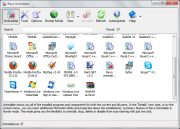
The Kaimeisi application is built as a user-friendly and easy-to-use multi-file renaming utility.

Now you can use this handy tool to rename all the files you want or need.

Here are some key features of "Kaimeisi":

· Basic / simple functionalities.
· Light-weight (stand-alone execution).
· Portable. (No install: just unzip and execute on the spot.)
· Easy uninstall. (Just delete the application and its related files)
· Easy intuitive user-interface / operations.
· User-definable file list filters.
· Selective renaming.
· Rename preview provided.
· Built with Embarcadero C++ Builder.


Program Informations
 Developer: Suzuki .for
more visit free software


Size,Price and Added Date
1MB.Freeware.$0.00 to buy
12-08-2011


Download Links
Kaimeisi 0.1.5.5.
Search here for more apps

Glary Utilities (No Toolbar) 2.36.0.1232

Recovery


Powerful utilities that increase your PC performance and maintain your system

Glary Utilities application is a collection of system tools and utilities to fix, speed up, maintain and protect your computer.

Glary Utilities is a handy tool with registry and disk cleaning, privacy protection, performance accelerator and amazing multifunctional tools. It can fix dogged registry errors, wipe off clutters, optimize internet speed, safeguard confidential files and maintain maximum performance.

It is designed for both novice and professionals. User-friendly interface shows clear and detailed directions. For novice, all work can be done with just 1 or 2 clicks, while for professionals, abundant options are available. To call Glary Utilities helpful would drastically understate the situation. It hopes to become your INDISPENSABLE friend with its one-stop-shop utilities for optimizing and maintaining your PC for best performance.

Here are some key features of "Glary Utilities (No Toolbar)":

· Disk Cleaner - Removes junk data from your disks and recovers disk space
· Registry Cleaner - Scan and clean up your registry to improve your system's performance.
· Shortcuts Fixer - Corrects the errors in your startmenu & desktop shortcuts
· Startup Manager - Manages programs which run automatically on startup
· Memory Optimizer - Monitors and optimizes free memory in the background
· Tracks Eraser - Erases all the traces,evidences,cookies,internet history and more
· File Shredder - Erases files permanently so that no one can recover them
· Internet Explorer Assistant - Manages Internet Explorer Add-ons and restores hijacked settings
· Disk Analysis - Get details information of the desired files and folders
· Duplicate Files Finder - Searchs for space-wasting and error producing duplicate files
· Empty Folders Finder - Find and remove empty folders in your windows
· Uninstall Manager - Completely uninstall programs you don't need any more

Requirements:

· Graphics mode 800x600 with 16-bit colors
· 20 MB free hard disk space at least
· Intel Pentium or AMD K5 processor with 133 MHz
· 32 MB RAM


Program Informations
 Developer: GlarySoft Inc .for
more visit free software


Size,Price and Added Date
6MB.Freeware.$0.00 to buy
12-08-2011


Download Links

Kaspersky Anti-Virus 12.0.0.374>>68.38MB (Commercial Trial)

Kaspersky anti-virus protects you from the Phishing and Malware sites that you wouldn't otherwise know were attempting to steal from you.


At the same time, the Kaspersky Security Network allows your computer to report when it discovers a threat that hasn't been seen before. All 250 million Kaspersky users benefit from our combined knowledge!


Kaspersky features include:


Protects from viruses, Trojans, worms, spyware, adware

Scans files, email, and internet traffic

Protects Instant Messengers

Protects From Unknown Threats

Analyzes and closes Internet Explorer vulnerabilities

Disables links to malware sites / phishing sites

Global Threat Monitoring (Kaspersky Security Network)

Blocks all types of keyloggers

Automatic Database Updates

Free Technical Support


Note: This is a 30-day commercial trial.


  • DOWNLOAD