Thursday, August 4, 2011

Infix PDF Editor 5.03

Recovery


Infix is a powerful PDF editor that works like a Word Processor for existing PDF documents that's very easy to use.
Use it to edit text (even across columns), manipulate graphics, images and pages and more in any PDF from any source such as Adobe Acrobat Distiller, MS Word or other PDF creation software.
Reuse your existing documents


Program Informations
 Developer: Iceni Technology Ltd..for
more visit free software


Size,Price and Added Date
25.3MB.Demo; $99.00 to buy
04-08-2011


Download Links

Tipard Photo Slideshow Maker 2.1.18

Recovery


Tipard Photo Slideshow Maker, the best photo or picture Slideshow Maker software, allows you to create wonderful photo slideshow video from photo album for you to enjoy on any mobile devices and share it online. Moreover, this Photo Slideshow Maker can also create slideshow video from any source video and background music files connected by numerous transition effects. Any video/audio/image formats are accepted by this slideshow maker. The output video/audio can also be all the popular formats like MP4, AVI, FLV, SWF, MP3, AAC, etc.

Key features:

1.Create photo slideshow presentation
Tipard Photo Slideshow Maker can edit any photo album to slideshow builder and create slideshow presentation.

2.Add source video and background music
This Slideshow Maker can also import video sources and music background with any video/audio formats.

3.Add various transition effects
Add build-in transition effect between individual source clips.

4.Add subtitle to slideshow video screen
Directly write in text contents that you want to use as subtitle in any place, any form and set the exact time.

5.Edit output properties
Once you add files, the relative property list will be displayed for you to adjust: trim the exact clips for you adding to slideshow project, crop the output play region and adjust the output visual/aural effect.

6.Valuable video/audio collections
This collection contains numerous pre-set photo/audio resources listed by the categories. Moreover, you can manage the collections to add new category, delete category and materials.

7.High speed
Provide the fastest conversion speed (>400%), completely support dual core CPU.

8.Great applicability
For you easily managing slideshow project, Tipard Slideshow Maker allows you to directly drag your local files and video/audio collections to the desired position in the project. Directly drag the files or timeline to change the order or exact display time.


Program Informations
 Developer: tipard.for
more visit free software


Size,Price and Added Date
38.5MB.(Shareware); $29.00 to buy
04-08-2011


Download Links

LanToucher Instant Messenger 1.55

Recovery


A messaging software for your office or home Local Area Network

LanToucher Instant Messenger is a useful instant messaging program for your office or home LAN (Local Area Network).

Being an efficient WinPopup and 'net send' command alternative, our full-featured instant messaging application offers you a much richer network communication environment, expanding the concept of conventional serverless messaging.

LanToucher Instant Messenger user-friendly interface and original features make LanToucher Instant Messenger the tool of choice for both home and enterprise instant messaging.

Based on peer-to-peer technology, LanToucher allows users to communicate directly with one another. No dedicated server or Internet connection is required.

LanToucher Instant Messenger is a complete serverless communication solution for your office and home LAN. It is compatible with Microsoft WinPopup (Windows 3.x/95/98/ME), Messenger service / 'net send' command (Windows NT/2000/XP/Server 2003), Samba smbclient (Unix/Linux), and a broad range of compatible instant messengers based on the standard SMB/CIFS protocol.

This feature fully controls the state of the Messenger service. Unlike other compatible instant messengers for intranets, LanToucher pauses the service at startup, and restarts it on exit so that you could still receive messages using the Messenger service before logging on, after logging off, and while at the Welcome screen (Windows XP).

Here are some key features of "LanToucher Instant Messenger":

· Proven cross-platform compatibility
· LanToucher is fully compatible with Messenger service / 'net send' (Windows NT/2000/XP/Server 2003), WinPopup messenger (Windows 3.x/95/98/Me), Samba smbclient (Unix/Linux) and a broad range of compatible instant messengers based on the standard SMB/CIFS protocol.
· All 32-bit Windows versions support
· Low memory and network bandwidth usage
· Unlike most fancy messaging applications, LanToucher needs less than 8 megabytes of RAM and generates minimal network traffic.
· True peer-to-peer (serverless) connectivity
· LanToucher does not require a dedicated messaging server, so users can communicate directly with one another.
· LAN-only messaging without file transfer ability
· LanToucher does not require an Internet connection to operate and does not provide a file transfer option. Therefore it is absolutely immune to hacker
· attacks, viruses, and other security threats inherent to Internet messengers.
· Multiprotocol support
· LanToucher works perfectly over any available network transport protocol (TCP/IP, IPX/SPX, or NetBEUI).
· Terminal Services/Remote Desktop support
· LanToucher Instant Messenger is compatible with TS and RDP allowing multiple Terminal Server users/Remote Desktop users to contact each other and other network users freely.
· Feature-rich user interface
While the default options should work fine for most users, LanToucher offers you dozens of various options you may want to adjust to suit your:
· particular needs.
· Contact List (ActiveList)
· It is pretty easy to add, remove your contacts, see whether a person is
· online or not, send messages to multiple contacts at once, or optionally ignore computers not in your ActiveList. From the ActiveList menu you can easily customize your contacts' settings such as picture/portrait, sounds, message font color and other contact-specific settings.
· Advanced sound and visual notification
· With the original LanToucher sound notification scheme in conjunction with visual notification you will never miss your important messages and other
· vital events.
· User Macros and Status Messages
· Instantaneous access to your predefined message templates and status/away messages by a hot key or two mouse clicks.
· Automatic Message Forwarding
· This enables you to automatically forward all incoming messages to another user or computer on your network when you are away from your computer.
· Advanced Messenger service support (Windows NT4/2000/XP/Server 2003)

Requirements:

· K6 or Pentium Processor
· 16 MB RAM (32 MB recommended)
· 6 MB hard drive space
· Network interface card connected to a Local Area Network
· Another computer running LanToucher; WinPopup-compatible mailer; Messenger
· Service
· DirectSound-compatible sound card recommended

Limitations:

· 40 launches

What's New in This Release:

· Windows 7 compatibility improved, minor interface enhancements


Program Informations
 Developer: Vital Sound Laboratory.for
more visit free software


Size,Price and Added Date
3MB.Trial / USD 11.55 to buy
04-08-2011


Download Links
LanToucher Instant Messenger 1.55.
Search here for more apps

Ez Video Studio 1.0.0.5

Recovery


A Handy Video Editor to cut, join or convert videos (2D to 3D)

Ez Video Studio will provide users with an easy-to-use video editor to cut, join or convert videos that is capable of converting 2D videos to 3D videos. Supported Video formats for CUT and JOIN as followings: ASF, AVI, FLV, M2TS, M4V, MP4, MKV, MOV, MPG, MPEG, WMV, WEBM, VOB. Video conversions will support all popular video formats.

The Cutting tool can perform cutting video clips to the exact Start and End setting positions (not Keyframes) most of the time. The included DUAL video viewers would make setting for start and end positions extremely easy.

The program can Join as many as video clips as you like given that they all have same video and audio formats (sometimes it can join asf, wmv, mpg, mpeg movie clips regardless of video and audio formats).

The Video Converting tool is capable of converting your favorite 2 dimensional videos, movies to 3 dimensional videos. There is a Device Pre-Set Option that you could choose to quickly convert your favorite video clips to use with smart-phones. Extracting Audio (save as: .AAC, M4A, MP3, OGG, WMA, WAV) from a Video clip is also available.

Here are some key features of "Ez Video Studio":

· Video Converting (2D only) and Audio Extracting
· Video Cutting, Joining and 2D to 3D Video Converting
· A 2D to 3D Realtime Video Media Player

Requirements:

· Dual core CPU system


Program Informations
 Developer: Awpersoft - Son Nguyen.for
more visit free software


Size,Price and Added Date
25MB.Trial / USD 19.99 to buy
04-08-2011


Download Links
Ez Video Studio 1.0.0.5.
Search here for more apps

Bulk Image Downloader 4.22.0.1

Recovery


Quickly download image & video galleries. Supports imagefap, imagevenue & more.

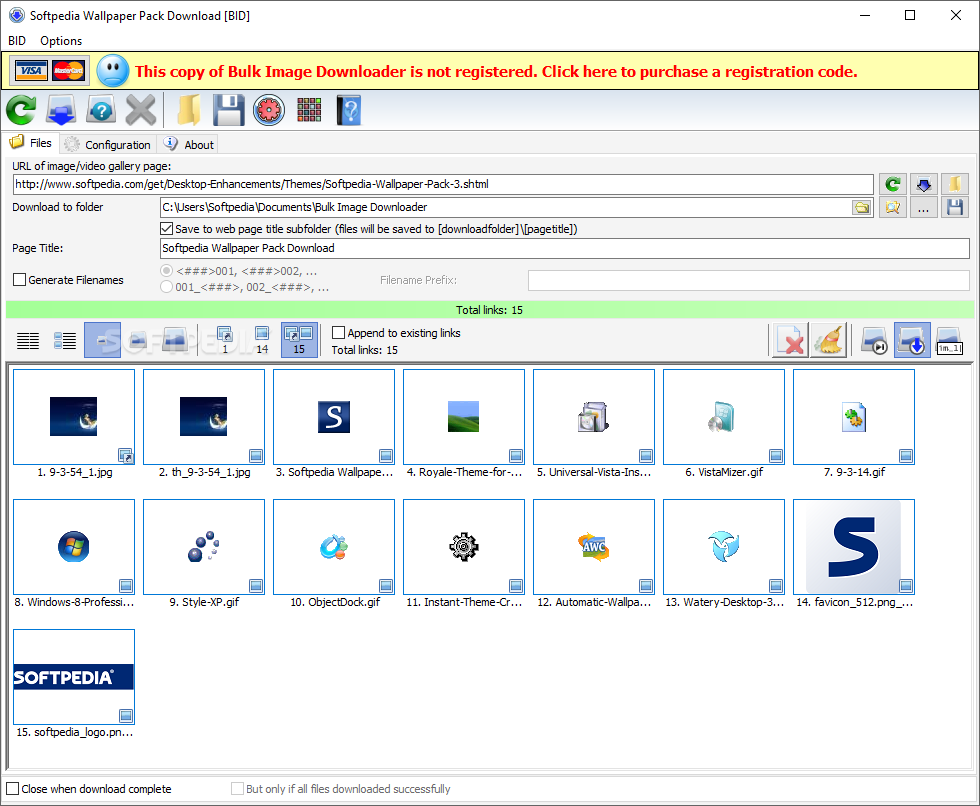
Bulk Image Downloader automatically downloads and saves images and videos from thumbnailed web galleries, bypassing all annoying popups and adverts. It can also extract image information from regular text files (such as saved html pages or plain text files containing links) and web pages where image links are listed as plain text.

Almost all popular image hosting sites are supported and it's built in image location technology can locate the full sized image in most web pages no matter what the layout or redirection methods used. Original image filenames are extracted where possible, but an option to generate sequential filenames is available for those image hosts that scramble the filenames.

It integrates with Internet Explorer, Firefox, Opera and Google Chrome via the right click context menu for even easier downloading. Download thumbnail gallery images interactively or send them to the Queue Manager and have them all downloaded automatically one gallery at a time.

In addition, the items that fail to be grabbed within a certain batch will be automatically placed in the new "retry" batches which you can later requeue for download. Use the BID Link Explorer to quickly extract multiple gallery links from gallery "index" pages (pages listing multiple galleries) and quickly queue them for download.

Most popular image hosts are supported, including flickr, imagevenue, imagefap, imagereverb, imagebam, imageshack, and too many others to list here.

How to use it

Simply copy the URL of the web page containing the images (such as a a thumbnail gallery) and paste it into the "URL to page containing links" edit box. Click on "Scan URL for images" to bring up a list of images that B.I.D. is capable of downloading. Select a download folder and then click on "Download files" to begin downloading the images. Try enabling the "Try to download from unsupported hosts" if no images are found.

If you like you can also click on "Save Batch" to save the download links to a text file. These ".bidlist" saved files can be loaded into B.I.D. by clicking on the "Load Batch/Scan links from file" button.

To create a list from multiple sources check the "Append to existing links" checkbox. Links will now be appended to the list instead of replacing the existing list when a URL is scanned or a file is loaded.

Some image hosts scramble the image filenames. In such a case you can select the "Generate Filenames" checkbox and type in an image prefix. Images will be saved as "PREFIXnnn.jpg" where nnn is the image's sequence number on the list.

The "Thumbnails" checkbox toggles the display of image thumbnails within the list.

If "Close when download complete" is selected, B.I.D. will close automatically after the last image in the list has been downloaded.

NOTE:
Bulk Image Downloader may provide access to adult material, therefore by pressing the Download button you acknowledge that you are at least 18 years old.
Here are some key features of "Bulk Image Downloader":

· Downloads entire image galleries automatically (no more endless right clicking to "save image as...")
· Integrates with IE, FireFox and Opera. Just right click on a gallery page or gallery link and select "Download with Bulk Image Downloader"
· Download from video sites like Google Video, DailyMotion, MetaCafe, MegaVideo
· Downloads thumbnailed video files (.mpg, .avi. .mov, etc)
· No complicated configuration or project files needed - it just works
· Works on sites that the other image downloaders don't
· Automatically locates and downloads images that have had their true locations hidden by redirection "services" such as usercash, linkbucks, etc.

· Saves time - galleries are downloaded as fast as your connection will allow
· Saves bandwidth - adverts and popups are not downloaded, just the images
· Validates and automatically retries partial or corrupt images, resuming downloads where possible
· Automatically detects and downloads from most multi page forum threads and galleries
· Downloads vbulletin forum attached images
· Multiple gallery download jobs can be queued and downloaded at a later time via the integrated Queue Manager
Limitations:

· 30 days trial
· BID will now continue working after the 30 day trial period but with the following limitations:
· a maximum of 100 images per batch
· a maximum of 2 videos per batch
· no more than 2 instances of BID may be active
· no more than 2 jobs in the Queue Manager
· no more than 2 simultaneous downloads
· reminders to register will appear periodically

What's New in This Release:

· picasa update
· youtube video update
· improved https support


Program Informations
 Developer: Antibody Software.for
more visit free software


Size,Price and Added Date
5MB.Trial / USD 29.95 to buy
04-08-2011


Download Links
Bulk Image Downloader 4.22.0.1.
Search here for more apps

FlashFXP 4.1.0 Build 1616 RC 1

Recovery


A powerful and very popular FTP & FXP Client

FlashFXP is a useful, well known and powerful FTP & FXP Client for Windows. It is loaded with features for the power user, but has an intuitive user interface that takes only minutes to master.

Using the FTP protocol, you can transfer files from remote servers to your computer, or even to another remote server. FlashFXP makes it easy to update your Web site, download files from the company server, or even download files from the internet that always seem to fail using your Web browser.

It allows you to transfer files between two sites (FXP), resume incomplete downloads, synchronize directories, schedule multiple tasks, and more.

Few things about it :

· Local and Site to Site File transfers
· FTP Proxy, HTTP Proxy, Socks 4 & 5 support
· Full Featured User Interface with Drag & Drop Support.

Note: If you are using v2.1 you must backup your settings, uninstall v2.1, then install v3.x and import your settings
Here are some key features of "FlashFXP":

Performance:
· Fully tested and supports gigabit speeds (including Jumbo Frames)
· MODE Z support for on-the-fly streaming compression.
· Support for FEAT and "stat -l" fast directory listing reduces overhead and improves compatibilty.
· Download and upload speed limiting. Save some of your bandwidth for browsing the web.
· Advanced Skip list.
· Optional caching of remote directory lists.

Security:
· Includes OpenSSL Libraries 0.9.7g.
· Automatic support for One Time Password (OTP) S/KEY.
· Strong encryption (Blowfish) can be applied to the site manager to protect your information.
· Connect to sites using SSL/TLS encryption for added security.
· SSL Site-to-Site (SSCN) Transfers.

Connectivity:
· Site to Site (FXP) Transfers.
· Fully recursive file transferring (uploading, downloading, site to site).
· Firewall support, allowing you to define a set range of local ports, or bind to a specific IP.
· FTP Proxy, HTTP Proxy, Socks 4, 5 support. (WinGate, WinProxy, MS Proxy, etc).
· Internal ident server.
· Per Site Connectivity modes support.
· PRET support for distributed FTP servers.

Interface:
· Simple (FTP-Only) and Advanced (FXP) views.
· Advanced queue control.
· Transfer Graph (only ftp transfer speeds can be graphed).
· Multi-Proxy Server Manager.
· Synchronized browsing allows webmasters to keep local and remote directly listings in synch while browsing.
· Internal Schedule (Transfer or Stop a queue at a specific time).
· Enhanced drag-and-drop functionality.
· Import site listings from Cute FTP, WS_FTP, FTP Explorer, LeapFTP, and Bullet Proof. Including passwords!.
· Optional displaying of Owner/Groups/Attrib.
· Site Stats, keeps track of your uploads/downloads and overall totals.
· Minimizes to system tray.
· List hidden files.
· Folder Bookmarks to provide one click access to any folder.
· Quick backup/restore of all sites/settings.
· Internal text editor for quick edits.

Advanced Options:
· Remote FTP file search.
· Custom file highlighting; display file masks in user defined colors.
· Calculate the size of all files in a specified path.
· Grouped SITE custom commands.
· Priority transfer list.
· Time Zone setting for Site Manager.
· Selective Transfer feature (transfer only images or just php files).

Robust:
· Bug report wizard, bug reports are now sent via http to our website rather than over email.
· Roll back on resumed file transfer to prevent corruption.
· Automatically reconnect and resume a transfer from where it left off if the connection is lost or no data is received for a specified period of time.
· Transfer files of all sizes, no 2gb/4gb size limit like some ftp clients.
· Anti-idle keeps connection active.
Limitations:

· 30 days trial
What's New in This Release:

· Fixed path drop-down box > mouse wheel scrolling wasn't being handled directly by FlashFXP when it should have, instead it was relying on the mouse driver to perform the scroll operation.
· Fixed status window > scrolling via the scroll-bar thumb was broken if the window contained over 32k lines of text.
· Improved status window > 10x speed increase by re-factoring the line wrap routine.
· Fixed transfer progress bar > the progress bar wasn't re-sized correctly in some situations, as a result the bottom of the bar was sometimes cut off.
· Fixed queue window > drag/drop > in the prior build a setting was incorrect causing abnormal behavior.
· Fixed FTP > LIST parser > If the connection was lost or closed the temporary buffer used for parsing wasn't cleared, the following connect/reconnect would then treat the old data as part of the next list data.
· Fixed status window > scrolling up to the oldest entry would only display a single line in the bottom of the window.
· Fixed remote drop...


Program Informations
 Developer: Flash FXP.for
more visit free software


Size,Price and Added Date
3MB.Trial / USD 29.95
04-08-2011


Download Links
FlashFXP 4.1.0 Build 1616 RC 1.
Search here for more apps

PowerArchiver 2011 12.00

Recovery


PowerArchiver Free is the latest version of the award winning compression utility - now Free! New ZIP engine fully supports ZIPX archives (LZMA, JPEG, PPMD, WavPacl, BZ2 format support) and makes PowerArchiver the only compression utility fully compatible with WinZip 12/13/14. Other ZIP/ZIPX related features include full Unicode support, AES support and unlimited file size/number support.

PowerArchiver Free fully supports open source 7zip format which provides up to 50% stronger compression than zip, with some unique features available only in PowerArchiver such as optimized compression mode where best format is selected automatically. PowerArchiver supports following formats: ZIP, RAR, 7-Zip, CAB, ACE, HA (LZH), TAR, GZIP, BZIP2, BH, XXE, UUE, yENC, and MIME (Base 64), ARJ, ARC, ACE, ZOO plus ISO, BIN, IMG and NRG disc image formats. If you want more formats, PowerArchiver has plugin system which can be used to add more formats support (msi, chm, etc).

Other notable features include fully integrated shell extensions, Backup Wizard, Encrypt/Multi Extract/Batch Compress/Archive Converter/Repair ZIP/ tools and ZIP/CAB/7-ZIP SFX archive wizard. PowerArchiver Free fully supports Windows 7 with jump lists, taskbar progress and taskbar icon overlays, as well as other Windows operating systems from Win98 to Windows Vista, both 32bit and 64bit.

Pro versions of PowerArchiver add even more features: Optimized/Multicore compression, Optimized rar extraction, Preview files inside archives without extracting them, Compression Profiles, Password Manager, Queue system for sequential compress/extract, Ribbon interface and Skinning support, Professional level Backup Utility that lets you Backup your files to 3 destinations as well as ftp/email or burn to the disc, FTP client for easy transfer of files via FTP and integrated standalone Burner utility which lets you burn data CD/DVD/Blue-Ray discs, rip your discs to ISO images and even use Virtual DVD tool to mount ISO files. you can free download PowerArchiver 2011 12.00 now.

PowerArchiver | file compression | zip | 7zip | cab | backup | rar | unzip | unrar | iso


Program Informations
 Developer: ConeXware.for
more visit free software


Size,Price and Added Date
10MB.Freeware.$0.00 to buy
04-08-2011


Download Links
PowerArchiver 2011 12.00.
Search here for more apps

Skype Launcher 1.6.3

Recovery


Skype Launcher is a small but useful application that was designed in order to help you run several Skype accounts on your computer. It also features an "Auto-Login" function that will automatically Connect all the accounts you save.
Requirements:

· Skype
· Visual Basic 6 Runtime
What's New in This Release:

· Added Skype 5.1 Support
· Enabled Skype-Auto-Login should be no problem anymore.
· Added a alternative Login method which can be activated if Skype version changed. you can free download Skype Launcher 1.6.3 now.


Program Informations
 Developer: Stefan.for
more visit free software


Size,Price and Added Date
1MB.Freeware.$0.00 to buy
04-08-2011


Download Links
Skype Launcher 1.6.3.
Search here for more apps

CyberLink PhotoDirector 2011 2.0.1928

Recovery


Develop spectacular photos that express your creative vision. Experience native support for RAW files from Canon and Nikon cameras and explore the vast potential of your creativity in PhotoDirector's nondestructive editing environment. Connect with pros on DirectorZone and share and download unlimited presets that will transform your photography. Easily manage large batches of photos and massive photo libraries. Photographers serious about their hobby do it all with PhotoDirector 2011.

Develop spectacular photos that express your creative vision. Experience native support for RAW files from Canon and Nikon cameras and explore the vast potential of your creativity in PhotoDirector's nondestructive editing environment.

Connect with pros on DirectorZone and share and download unlimited presets that will transform your photography. Easily manage large batches of photos and massive photo libraries. Photographers serious about their hobby do it all with PhotoDirector 2011.

Fast, Intuitive Workflow
An efficient digital workflow speeds up the entire process from the time an image is imported to your PC to its final output. PhotoDirector is designed to make the process ultra efficient from import, manage, enhance to final output.

Import your images to PhotoDirector and immediately gain access to a powerful but easy to use library with advanced searching, sorting, tagging and flagging tools for easy management of even large batches of photos.

Select the best images you want to enhance from your collection with the help of PhotoDirector’s extensive viewing modes. Choose between the most dynamic adjustment tools and watch as your photos turn into masterpieces.

Once you have the perfect look, share you photos to Facebook and Flickr or create stunning HD slideshow videos up to 1080p, and upload them to YouTube.

Explore Your Creative Potential
Allow your imagination to explore the bounds of your creativity! PhotoDirector is an advanced nondestructive editing environment, so you can let your creativity run wild knowing your original image is always safely unaltered. Adjust the contrast, exposure or apply adjustment brushes without fear. If you are not satisfied with the effect, you can easily revert back to any revision step with Adjustment History.

Dynamic Adjustment Tools
PhotoDirector provides cutting edge adjustment tools which perfect and enhance your photos. Correct the color of your image with PhotoDirector’s advanced White Balance tool, or make the colors in your photo pop by selecting between several color enhancement tools including Levels, Tone and Hue, Saturation and Lightness.

If you shoot in high action or low light settings, then PhotoDirector’s Noise Reduction tool is an absolute must have. Bring out all the spectacular image details and make your photos crisp and clear by adjusting the sharpness. PhotoDirector’s dynamic adjustment tools are the best way to incredible images.

Precise Regional Adjustments
Some images require precise editing tools for touchups on specially targeted areas. PhotoDirector has you covered with amazing regional adjustment tools that perfect every area of your photo.

PhotoDirector’s edge aware brush is the perfect tool for making selective adjustments to targeted areas of your photo. Select the size, softness and amount of the brush you want to apply to a targeted area and touch up the exposure, brightness, contrast and so much more. Select Fit to Edges for super accurate brush strokes, so the adjustment is applied exactly to the area you want to enhance.

Explore all of PhotoDirector’s amazing regional adjustments, including Gradient Mask and Spot Removal, and create the perfect image down to the finest of details.

Select the Best Image Every time
When you have hundreds or thousands of photos to choose from, you need flexibility in viewing and comparing different images. PhotoDirector has all of the angles covered, so you can select the best images and the best adjustments every time.

Compare multiple images in Lightbox mode or browse through dozens of images in Browser mode. Try List View to see key details of the photo or switch to dual monitor mode so you always have enough screen space. Expand the image to full screen with the pleasure of knowing you still have full control over the adjustments you are applying.

Make your adjustments and enjoy several different modes to compare your photo to the original so you know exactly which adjustments create the perfect look.

Native Rendering of Canon and Nikon Files
Don't limit your photos by using poor RAW file converters with very basic capabilities. PhotoDirector provides native rendering of RAW file formats from Canon and Nikon cameras, a highly desirable feature that maintains the immaculate quality of your images as intended by the camera manufacturers, without the hassle of installing plug-ins.

PhotoDirector supports an extensive range of RAW file formats from the world's leading digital cameras. If shooting in RAW is not for you, there is no need to worry. PhotoDirector also supports JPEG and TIFF file formats. With such extensive file format support all you need to worry about is where to take your next photo.

Download Presets on DirectorZone.com
Adjustment presets are a great way to perform common touch ups with a single click of the mouse. PhotoDirector comes with a vast array of state of the art presets that turn common or complex adjustments into easy to manage touchups. PhotoDirector 2011 is the first photo software that lets users easily share their own presets and download an unlimited number of presets defined by others, directly from the application, through our online community

Share to Facebook Flickr and YouTube
When you are ready to share your photos, you can upload them to Facebook and Flickr directly from PhotoDirector simply by selecting the share icon in the Library or Adjustment module.

Share your collection of photos by creating a crystal clear HD slideshow video, up to 1080p resolution. To reach a larger audience, upload your slideshow videos to YouTube and show the world your passion for photography.


Program Informations
 Developer: cyberlink.com.for
more visit free software


Size,Price and Added Date
142MB.Freeware.$0.00 to buy
04-08-2011


Download Links
CyberLink PhotoDirector 2011 2.0.1928.
Search here for more apps

QuickTime 7.70.80.34

Recovery


The QuickTime family of digital media creation, delivery and Playback software lets you deliver live or pre-recorded video and audio to an audience of any size. When combined with QuickTime Player and QuickTime Pro, these applications work together to provide the industry’s first end-to-end, cross-platform, standards-based digital media delivery system.

QuickTime Broadcaster
Produce professional-quality live events for online delivery to the desktop or mobile phone - quickly, easily, and affordably.

QuickTime Streaming Server
Stream your live and on-demand media in real time to the desktop or mobile phone with this industrial-strength, standards-based server. Deliver everything from QuickTime movies to H.264 standards-based video to an internet Radio Station.

MPEG-2 Playback Component
Show your pro encoding work to clients or transcode your MPEG-2 video streams to other QuickTime formats with this add-on to QuickTime Player or QuickTime Pro.
you can free download QuickTime 7.70.80.34 now.


Program Informations
 Developer: Apple Inc.for
more visit free software


Size,Price and Added Date
37MB.Freeware.$0.00 to buy
04-08-2011


Download Links

SharePoint Site User Directory 1.1.119.7

Recovery


The SharePoint Site User Directory web part displays a list of all users and groups that have the appropriate permissions to access a SharePoint site. A full suite of display options allow users to view user accounts and groups alphabetically, by organizational unit, by site permissions, or by recent activity in SharePoint (activity within a five minute timeframe.) Selecting a user account or group opens AD profile information, allowing users to quickly and easily find contact info, check to see if a particular account has been active in SharePoint, and enables users to send an email notification to that account. Users can also search for user accounts or groups by account or by other metadata.

IT administrators also have complete control of how accounts are displayed, including options to add, remove, or rename AD account properties as well as configure and organize AD properties in tabs above user profile information. Moreover, all profiles are displayed in a print friendly window, allowing for effortless printing of profile and contact information.


Program Informations
 Developer: SharePointBoost.for
more visit free software


Size,Price and Added Date
410KB. (Shareware); $219.00 to buy
04-08-2011


Download Links

CodeTwo Outlook Sync 1.0.4

Recovery


Easily sync Microsoft Outlook folders between two computers with CodeTwo Outlook Sync. It is a fast, logical and nicely designed application that is available in a free, time-unlimited version. The free tool lets you sync MS Outlook default calendar and contacts with another machine - desktop PC or laptop. The full version of CodeTwo Outlook Sync allows you to share all Outlook data between two machines smoothly and in real time without Exchange server.

This program was made in response to the huge demand of many people using MS Outlook to organize their work. Having an easy access to Outlook calendars, contacts, documents, tasks, e-mails or journal entries from two computers, appears to be necessary for many professionals. CodeTwo Outlook Sync is a perfect solution in many scenarios. It can be utilized by two people working on one project and accomplishing mutual tasks. The application can be of use for your wife or secretary who wants to keep an eye on your calendar and enter all appointments in there, before you forget about them. CodeTwo Outlook Sync can also be used to backup your Outlook to another PC, so that you can set your mind at rest about the hundreds of contacts and e-mails you just cannot lose.

CodeTwo Outlook Sync enables you to decide upon the synchronization type. It can be activated automatically in the background or manually, by pressing the Sync button. Learning how to use the program should not take you long as the UI is very clear and logical. Moreover, the configuration wizard guides you through all the installation and configuration steps. The program was intended to be the most intuitive and user-friendly application for Outlook data synchronization available in the market. Do not hesitate then and check it out yourself.


Program Informations
 Developer: CodeTwo.for
more visit free software


Size,Price and Added Date
18.5MB. (Shareware); $59.00 to buy
04-08-2011


Download Links